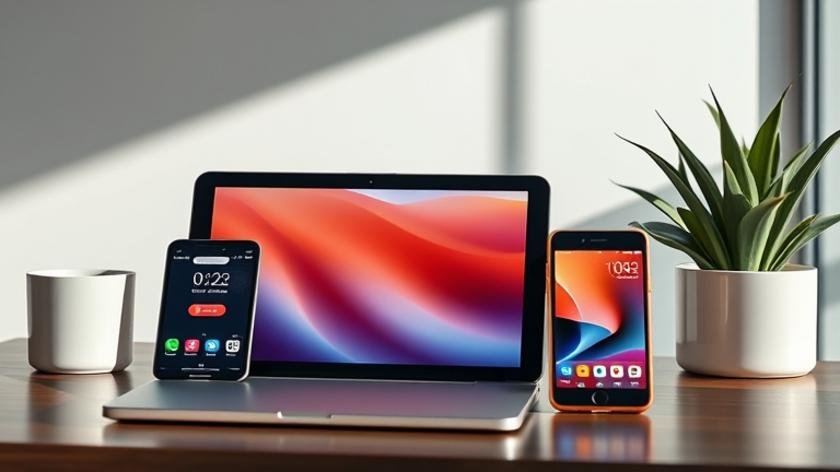
Smart Devices Basic Applications for Home Automation
In today’s connected world, many households are discovering how smart devices basic applications can simplify daily routines while enhancing comfort. By linking everyday appliances to a central hub, owners gain remote control, real‑time insights, and automated responses that would have seemed futuristic only a few years ago.
Thank you for reading this post, don't forget to subscribe!When these technologies converge within a cohesive Home Automation strategy, the result is an environment that anticipates needs, conserves energy, and bolsters security. Understanding the core functions of each device is the first step toward building a resilient, efficient home ecosystem.
## Table of Contents
– [Understanding Smart Devices](#understanding-smart-devices)
– [Lighting Control](#lighting-control)
– [Thermostat Management](#thermostat-management)
– [Security and Surveillance](#security-and-surveillance)
– [Voice Assistant Integration](#voice-assistant-integration)
– [Energy Monitoring and Reporting](#energy-monitoring-and-reporting)
– [Scheduling, Scenes, and Routines](#scheduling-scenes-and-routines)
– [Comparison of Popular Devices](#comparison-of-popular-devices)
– [Frequently Asked Questions](#frequently-asked-questions)
– [Conclusion and Final Takeaways](#conclusion-and-final-takeaways)
## Understanding Smart Devices
Smart devices are essentially everyday objects equipped with microcontrollers, wireless radios, and minimal processing capability. Their primary purpose is to collect data, execute commands, and communicate that information to a central controller or cloud service. The value comes not merely from isolated gadgets, but from their ability to interact, share context, and trigger actions without human intervention.
A well‑designed ecosystem begins with reliable connectivity—Wi‑Fi, Zigbee, Z‑Wave, or Thread—each offering distinct trade‑offs in range, bandwidth, and power consumption. Selecting a protocol that aligns with house size, device density, and desired latency is crucial for the overall stability of smart devices basic applications.
Lighting is the most accessible entry point for many homeowners. Smart bulbs and switches let users adjust brightness, color temperature, and schedules from a smartphone or voice assistant. Beyond convenience, dynamic lighting can improve sleep hygiene by simulating natural daylight cycles, or enhance security by creating the illusion of occupancy when away.
When integrating lighting with other home systems, consider motion sensors that dim lights in unoccupied rooms, thereby reducing standby power. Pairing lights with HVAC controllers can also optimize energy use; for instance, dimming lights in a room that is unoccupied while the thermostat reduces heating or cooling for that zone.
Modern thermostats combine temperature sensing with learning algorithms that adapt to occupants’ habits. They can pre‑heat or pre‑cool spaces based on predictive models, which translates into measurable utility savings. Many units also support geofencing, automatically switching modes when a resident’s smartphone leaves or re‑enters the property.
Integrating thermostats with window or door sensors prevents wasteful heating or cooling when openings are detected. For homeowners focused on sustainability, these smart thermostat insights provide actionable data that drives more conscious consumption.
Security cameras, doorbell units, and smart locks have become staples of contemporary Home Automation. Video streams can be encrypted end‑to‑end, and motion‑triggered alerts are delivered instantly to mobile devices. Smart locks, in particular, enable keyless entry, temporary access codes for guests, and automatic locking once the house is empty.
When configured correctly, security devices can communicate with lighting and audio systems. For example, a motion detector could flash exterior lights and play a warning tone when an unknown presence is detected, creating a layered deterrent without manual oversight.
## Voice Assistant Integration
Voice platforms such as Amazon Alexa, Google Assistant, and Apple Siri serve as the conversational bridge between users and their devices. By exposing standardized “skills” or “actions,” developers enable voice commands like “Set the living‑room temperature to 72 °F” or “Turn off all lights”.
Effective voice integration hinges on clear naming conventions and well‑defined device groups. Grouping related appliances under a single phrase—e.g., “Bedroom” or “Home Office”—allows a single utterance to orchestrate multiple actions, reinforcing the convenience promised by smart devices basic applications.
## Energy Monitoring and Reporting
Energy‑focused smart plugs and dedicated monitoring hubs provide real‑time consumption data per device. This granularity helps identify “vampire loads”—appliances that draw power even when idle. Some platforms generate monthly reports, highlighting trends and suggesting optimization steps.
Combining consumption data with utility rate schedules enables time‑of‑use automation. For instance, a washing machine could be programmed to run during off‑peak hours, automatically reducing the household’s electricity bill while maintaining user convenience.
## Scheduling, Scenes, and Routines
Beyond isolated commands, the true power of a connected home lies in orchestrated scenes. A “Good Night” routine might lock doors, dim lights, lower the thermostat, and arm the security system with a single tap. Conversely, a “Morning Wake‑Up” scene could gradually raise lighting, start a coffee maker, and play a chosen playlist.
Effective scheduling respects both temporal patterns (time of day) and contextual triggers (presence, weather, or media playback). By layering multiple conditions, homeowners craft experiences that feel intuitive rather than scripted.
## Comparison of Popular Devices
| Device Type | Key Features | Pros | Cons | Typical Price (USD) |
|---|---|---|---|---|
| Smart Light Bulb | Color control, dimming, scheduling | Easy retrofit, low power | Limited range without hub | $15‑$30 per bulb |
| Smart Thermostat | Learning algorithms, geofencing, remote access | Energy savings, intuitive UI | Higher upfront cost | $200‑$250 |
| Smart Security Camera | HD video, motion alerts, two‑way audio | Strong deterrent, cloud storage options | Privacy concerns, subscription fees | $100‑$180 |
| Smart Plug | On/off scheduling, energy monitoring | Minimal installation, works with most appliances | Limited to 15 A load | $20‑$35 |
For deeper research, you can explore a Google search for the full article title: Smart Devices Basic Applications for Home Automation. A Bing alternative is also available: Smart Devices Basic Applications for Home Automation.

**Q1: Do I need a separate hub for every device type?**
A1: Not always; many platforms support multiple protocols in a single hub.
**Q2: Can smart devices work without internet?**
A2: Local control is possible, but remote features require an internet connection.
**Q3: How secure are smart home ecosystems?**
A3: Use strong passwords, regular firmware updates, and two‑factor authentication.
**Q4: Will voice assistants increase latency?**
A4: Minimal latency; most commands execute within seconds.
**Q5: Are there privacy concerns with smart cameras?**
A5: Yes; choose devices with end‑to‑end encryption and manage cloud storage settings.
## Conclusion and Final Takeaways
Deploying smart devices basic applications across a residence transforms passive spaces into responsive environments. By focusing on reliable connectivity, thoughtful integration, and data‑driven automation, homeowners can achieve measurable energy savings, heightened security, and a more comfortable lifestyle.
The journey begins with a clear assessment of needs, followed by incremental adoption—starting with lighting or thermostatic control—and expands into layered routines that reflect everyday habits. When each device contributes to a unified purpose, the collective system delivers value far beyond the sum of its parts.